Most businesses know that technology problems can slow work down. But what many companies don’t realize is that these issues cost money even when they seem small. A slow computer, a frozen screen, a weak network, or a security alert may not feel like a big problem at first. But when these problems happen every day, they turn into lost time, lost sales, and lost productivity. This hidden cost is known as downtime, and it affects more companies than people think.
Some businesses try to fix issues as they come. Others depend on one person who knows “just enough” about computers. And some ignore the problems until something breaks. These methods might seem cheaper at first, but over time, downtime becomes expensive. Employees waste hours waiting for things to work. Customers wait longer for help. Teams feel stressed and frustrated.
This is why many companies consider switching to managed IT support. Managed IT services help businesses prevent problems before they happen. They monitor systems, repair issues fast, protect against cyberthreats, and keep everything running smoothly. But is it worth the cost? And is your company paying more for downtime than managed IT would cost?
This article breaks it all down in simple language so you can decide what’s right for your business.
Quantifying the Complete Cost of System Outages
Why Small Tech Issues Add Up
Downtime doesn’t always look dramatic. It can be as simple as:
- A slow login
- A printer that won’t connect
- A Wi-Fi outage that lasts ten minutes
- A glitch in your software
- A crashed system in the middle of the day
Each moment seems tiny, but multiplied across many employees and many days, the cost grows fast.
How Downtime Reduces Productivity
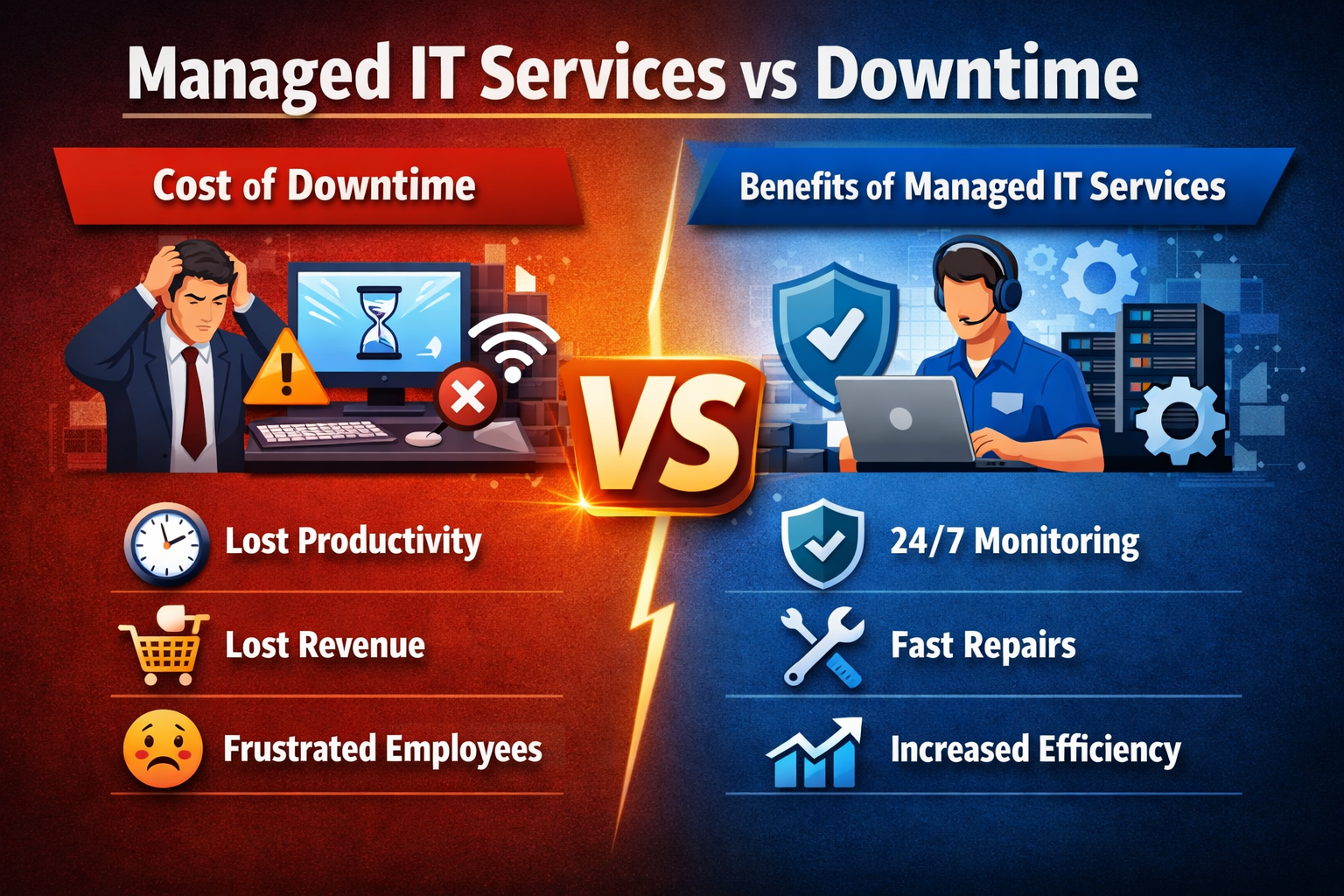
When tech slows down, your team slows down too. Employees cannot work at full speed when their tools don’t respond. They lose focus, fall behind on tasks, and feel frustrated. Even small delays interrupt workflows.
The Emotional Impact on Teams
People get stressed when technology fails. Repeating problems make teams feel unsupported. When employees handle tech issues themselves, they lose time and confidence. This frustration lowers morale and causes burnout.
Lost Customer Trust
If customers cannot reach your business because of downtime, they may look for help somewhere else. Missed calls, delayed responses, and slow systems all create a negative impression. In today’s world, speed matters.
Why Businesses Struggle With Old or Limited IT Support
Relying on a Single In-House Person
Some companies depend on one person to handle everything. This person may not have the time or training to manage complex problems. If they are sick, busy, or on vacation, tech issues pile up.
Fixing Problems Only After They Break
This is called a break-fix approach. It seems simple, but it creates many issues. Waiting for something to break often leads to longer downtime, higher repair costs, and more stress.
Lack of Specialized Skills
Modern technology changes fast. Cybersecurity, cloud systems, software updates, and network issues all require different skills. One person cannot know everything.
No 24/7 Monitoring
Without constant monitoring, many problems go unnoticed until they cause damage. A small issue at night can become a big outage by morning.
How Managed IT Support Helps Reduce Downtime
24/7 Monitoring That Catches Problems Early
Managed IT providers use tools that watch your systems all day and night. They can detect:
- Hardware failures
- Network issues
- Software errors
- Security threats
- Unusual activity
By catching problems early, they prevent downtime.
Faster Response and Remote Help Desk Support
Most IT issues can be fixed remotely. Managed IT technicians respond quickly and solve problems within minutes, not hours. This saves time and reduces stress.
Preventive Maintenance
Managed IT teams don’t wait for things to break. They:
- Update software
- Install patches
- Monitor performance
- Clean viruses
- Optimize networks
These small actions keep your systems running smoothly.
Strong Cybersecurity Protection
Cyberattacks cause massive downtime. A managed IT provider protects your business with:
- Firewalls
- Antivirus tools
- Security monitoring
- Threat detection
- Employee training
This helps stop attacks before they reach your systems.
Better System Performance
Managed IT support ensures your hardware and software work well. Faster systems mean faster employees and improved productivity.
Benefits of Switching to Managed IT Support
Lower Overall Costs
Many businesses think managed IT is expensive. But when compared to the cost of downtime, lost productivity, and equipment failures, it often saves money.
Improved Efficiency
Teams work faster when technology works. Managed IT ensures smooth workflows and fewer interruptions.
More Time for Real Work
Employees stop wasting time trying to fix their own issues. They focus on their jobs, not on tech troubleshooting.
Predictable Monthly Fees
Instead of surprise repair bills, managed IT offers a simple monthly cost. This helps businesses plan their budgets.
Stronger Customer Experience
Customers notice when your systems work well. Faster responses, reliable communication, and smooth service improve their trust.
When a Business Should Seriously Consider Managed IT
Frequent Tech Problems
If your team deals with daily disruptions, it’s a sign that your IT setup needs support.
Security Concerns
If your business handles sensitive information, you need strong cybersecurity.
Remote or Hybrid Teams
Managing tech for remote workers is hard without professional help.
Growth and Expansion
Managed IT scales with your business.
Limited In-House IT Staff
If your IT person is overwhelmed, managed support fills the gaps.
How Managed IT Support Reduces Long-Term Risk
Preventing Data Loss
Backups and disaster recovery plans protect your information. A managed IT provider ensures your data is safe and easy to restore.
Avoiding Extended Outages
Because managed IT prevents problems early, businesses avoid costly breakdowns.
Meeting Compliance Requirements
Some industries require strict cybersecurity rules. Managed IT helps businesses stay compliant.
Protecting Against Human Error
Employees often click harmful links by accident. Managed IT protects your systems even when mistakes happen.
Choosing the Right Managed IT Provider
Look at Service-Level Agreements
These agreements show how fast the provider will respond to problems and what services they guarantee.
Check for Cybersecurity Expertise
A provider should offer strong security tools and certified specialists.
Look for Scalable Plans
Select a supplier who can expand with your company. You should be able to add new users or services easily.
Review Support Tools and Technology
A provider should use modern tools for monitoring, ticketing, and communication.
Consider Industry Experience
It helps when a provider understands your industry and its unique needs.
Conclusion
Downtime may seem small, but it can cost your business more than you realize. Lost productivity, slow systems, frustrated employees, and unhappy customers all add up. Many companies only discover the true cost of downtime after months or even years of dealing with constant tech issues.
Switching to managed IT support can prevent these hidden costs. With proactive monitoring, fast support, strong cybersecurity, and consistent maintenance, your business stays productive and protected. Your team spends less time fixing problems and more time doing real work. Customers get faster service. And your company saves money in the long run.
If your business is struggling with repeated tech issues, slow systems, or security concerns, managed IT may be the smart next step. It keeps your systems working—and your business moving forward.